
Best Budgeting Apps for Freelancers in the US (2026 Guide)
Best Budgeting Apps for Freelancers in the US
Let’s be real for a second. If you’re a freelancer in the US, you already know the struggle. One month you’re riding high with three client payments hitting your account in the same week. The next month? Crickets. Meanwhile, the IRS still expects its cut every quarter, rent doesn’t care about your “slow season,” and every generic budgeting app out there keeps asking you to enter your “monthly salary” like you’re some kind of 9-to-5 corporate employee.
Traditional budgeting apps were built for people with a fixed paycheck. Freelancers don’t have that luxury. Your income is variable, unpredictable, and often arrives in chunks rather than steady drips. You need tools that understand feast-or-famine cycles, help you set aside taxes automatically, and don’t judge you when your “monthly income” fluctuates by 400%./building-an-emergency-fund-on-minimum-wage/
So here’s the deal. I tested dozens of budgeting apps used by real freelancers across the US in 2026 — from graphic designers in Austin to copywriters in New York to Uber drivers in LA. I looked at how each app handles irregular income, tax set-asides, business expense tracking, and overall sanity. Below is the honest breakdown of what actually works and what’s just fancy marketing.
—
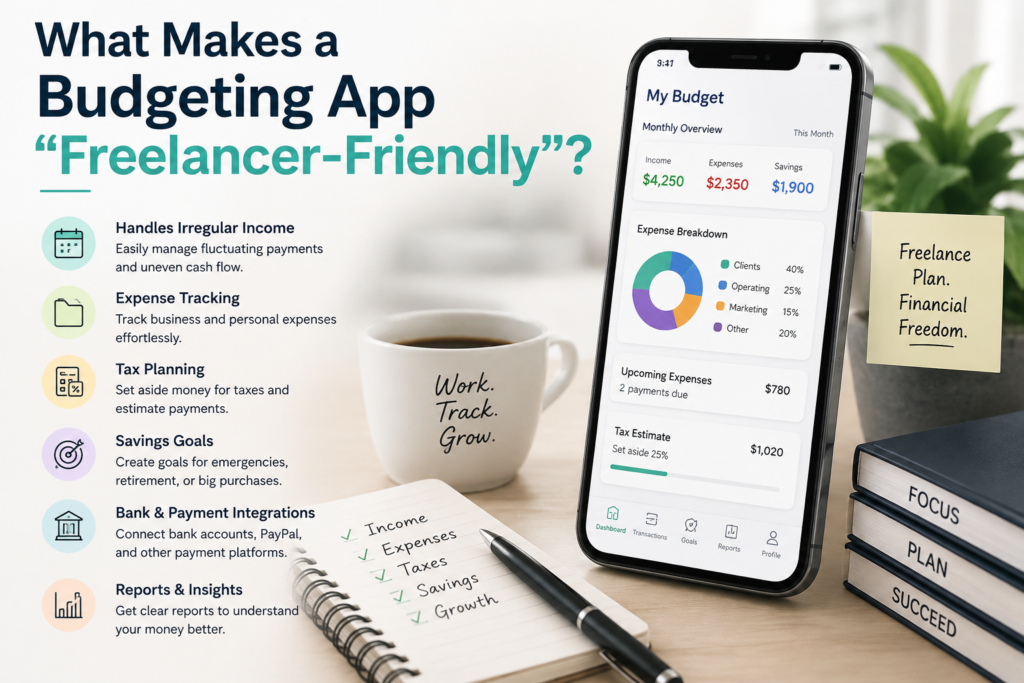
What Makes a Budgeting App “Freelancer-Friendly”?
Before we dive into the apps, let’s establish what you actually need. A freelancer budgeting app must do three things that regular apps don’t:
**1. Handle Variable Income Without Breaking.** If an app requires you to set a fixed “monthly income” before it lets you budget, walk away. You need a system that lets you budget only the money you actually have right now — not what you hope to earn next month.
**2. Separate Business and Personal Spending.** Your coffee with a client is a deductible business expense. Your coffee on a Sunday morning is not. The app needs to handle both without making you cry at tax time.
**3. Help with Quarterly Taxes.** The IRS expects freelancers to pay estimated taxes every quarter (April 15, June 15, September 15, and January 15). If your app doesn’t help you set aside 25-30% of every payment for taxes, it’s not doing its job.
Now, let’s get into the apps that actually deliver.
1. YNAB (You Need A Budget) — Best for Financial Discipline
**Price:** $109/year or $14.99/month (34-day free trial, no credit card required)
YNAB is the gold standard for freelancers who struggle with the psychological rollercoaster of irregular income. Its core philosophy is simple but powerful: **you can only budget the money you already have.** Not the money you expect next month. Not the invoice you sent last week that might get paid. Just the cash in your bank account right now.
For freelancers, this is a game-changer. When a big $8,000 client payment lands, YNAB forces you to think carefully about where every dollar goes — rather than feeling rich and blowing it all before the dry spell hits. The app’s “Age of Money” metric shows you how long your dollars sit before being spent, which is basically a financial health score for freelancers.
**What freelancers love about it:**
– The zero-based budgeting approach naturally handles feast-or-famine cycles
– You can create a dedicated “Tax Reserve” category and fund it with 25-30% of every payment
– The mobile app is excellent for tracking expenses on the go
– YNAB Together lets couples share a budget (great if your partner also freelances or has a W-2 job)
**The honest downside:** YNAB has a real learning curve — expect 2-4 weeks before it clicks. It also doesn’t calculate your quarterly tax estimates or generate Schedule C reports. You’ll need to pair it with a separate tool for tax preparation. And at $109/year, it’s not cheap.
**Best for:** Freelancers who want to change their financial behavior, build a buffer, and stop living project-to-project.
2. QuickBooks Solopreneur — Best for Tax-Ready Bookkeeping
**Price:** $20/month ($120/year) with a 30-day free trial
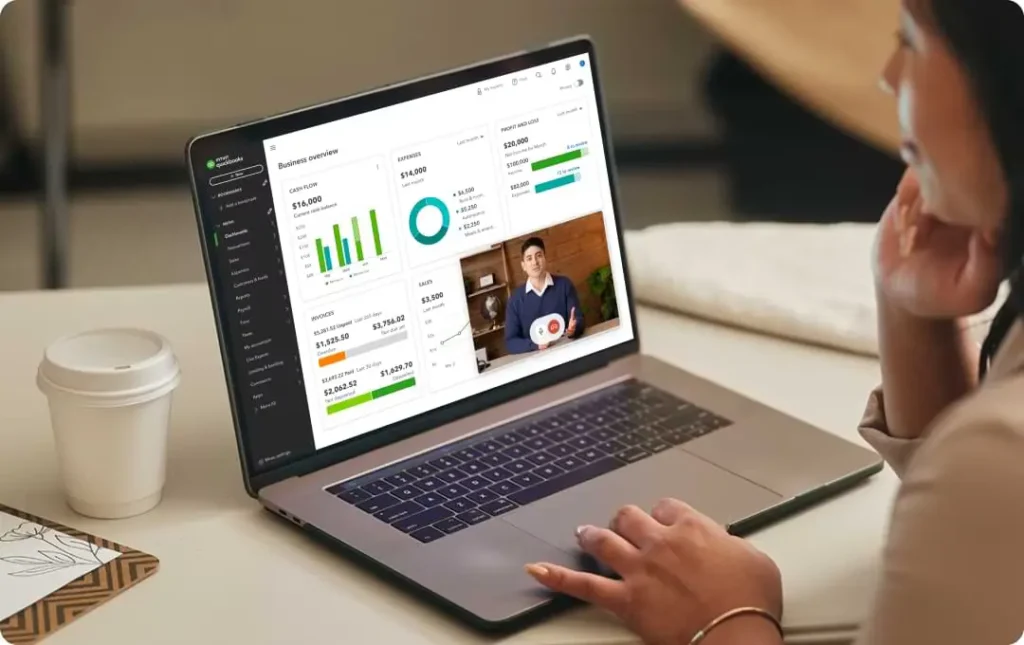
QuickBooks Solopreneur (formerly QuickBooks Self-Employed) is what you graduate to when you’re tired of guessing your tax numbers. This is Intuit’s offering specifically designed for one-person businesses, and it does one thing brilliantly: it keeps your books clean enough that your CPA will actually hug you at tax time.
The app automatically categorizes your linked transactions into IRS-friendly categories like “office expenses,” “travel,” “meals,” and “supplies.” It calculates your quarterly tax estimates in real time based on your actual income and expenses./building-an-emergency-fund-on-minimum-wage/ And it tracks mileage automatically using your phone’s GPS.
**What freelancers love about it:**
– Automatic quarterly tax estimates based on your real income
– Mileage tracking that logs business drives automatically
– Separates business and personal transactions cleanly
– Exports directly to TurboTax for filing (same company, seamless integration)
**The honest downside:** This is not a day-to-day budgeting app in the YNAB sense. It won’t tell you whether you can afford takeout tonight. It answers the question “What did I earn and owe?” not “What can I spend today?” Also, at $20/month, it’s pricier than most budgeting tools.
**Best for:** Freelancers earning $40,000+ whose biggest pain point is tax organization rather than spending discipline.
—
3. Monarch Money — Best All-in-One Financial Dashboard
**Price:** $99.99/year (about $8.33/month) with a 7-day free trial
Monarch Money is the closest thing to a command center for your entire financial life. It connects your bank accounts, credit cards, investments, loans, and even crypto wallets in one beautiful dashboard. For freelancers who want to see the full picture — business income, personal spending, retirement accounts, and net worth — Monarch delivers.
The budgeting system is flexible enough for variable income. You can set up different budget versions (optimistic vs. conservative) and use the rollover feature to carry unused funds between months. The forecasting tool shows projected cash flow, though honestly, I’d recommend turning that off if your income is truly unpredictable — it can create a false sense of security.
**What freelancers love about it:**
– Stunning interface that actually makes you want to check your finances
– Tracks net worth, investments, and budgets in one place
– Collaborative features for couples or households
– Strong recurring transaction tracking for subscriptions and bills
**The honest downside:** The free trial is only 7 days (shorter than most competitors). It doesn’t handle tax estimates or Schedule C preparation. And the forecasting feature can be dangerous for freelancers if used naively — projecting future income when you don’t actually know what’s coming is a recipe for overspending.
**Best for:** Freelancers who want a holistic view of their finances and don’t mind using separate tools for tax planning.
4. PocketSmith — Best for Cash Flow Forecasting
**Price:** Free plan available; Premium at $9.99/month; Super at $14.99/month (14-day free trial)
PocketSmith is the hidden gem that doesn’t get enough attention. Its superpower is **calendar-based cash-flow forecasting.** Instead of just telling you what you spent last month, it projects your bank balance forward day-by-day based on your recurring bills, expected income, and spending patterns.
For freelancers, this is incredibly valuable. You can see, weeks in advance, exactly when your account is going to dip dangerously low. You can model different scenarios”What if that client pays two weeks late?” or “What if I land a $5,000 project next month?” — and see the impact on your runway in real time.
**What freelancers love about it:**
– The calendar view shows every dollar going in and out on specific dates
– Scenario modeling lets you plan for best-case and worst-case months
– Handles multiple currencies (useful if you work with international clients)
– The free plan is genuinely usable for basic needs
**The honest downside:** The interface feels a bit dated compared to Monarch or Copilot. The bank sync can occasionally be slow. And like most tools on this list, it doesn’t handle tax estimates natively — you’ll need to create your own categories for that.
**Best for:** Freelancers who want to see into the future and avoid cash-flow surprises before they happen.
5. Found — Best Banking + Budgeting Combo (and It’s Free)
**Price:** Free (Found Plus at $35/month, Found Pro at $80/month for premium features)
Found is technically a business bank account, but it’s also a budgeting and bookkeeping tool rolled into one. And the core plan is free. No monthly fees. No minimum balance. Just a solid financial platform built specifically for freelancers and gig workers.
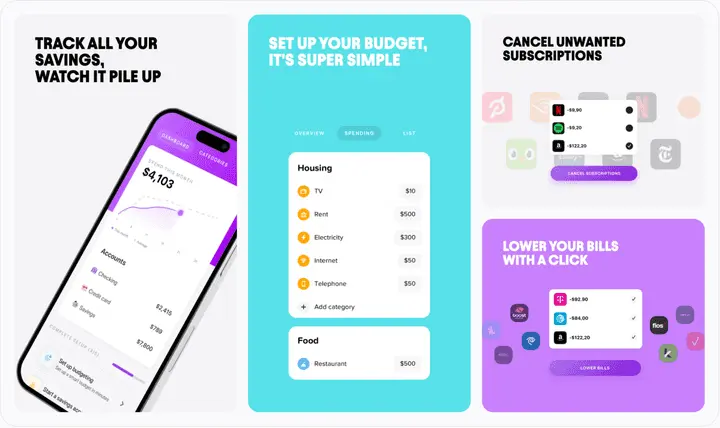
The standout feature is the automatic tax set-aside. You set a percentage (say, 25%), and every time a client payment lands in your account, Found automatically moves that percentage into a separate tax pocket. By the time your quarterly estimated tax payment is due, the money is already there, waiting. You can’t accidentally spend it because it’s already quarantined in a separate savings bucket.
**What freelancers love about it:**
– Free business checking with no hidden fees
– Automatic tax set-aside (this alone is worth the price of admission)
– Built-in invoicing and receipt scanning
– Expense categorization mapped to IRS Schedule C categories
**The honest downside:** As of March 2026, Found removed full business tax filing from all plans, and paying quarterly estimates directly from the app now requires a paid tier. It’s also a banking product first, so it won’t give you the detailed spending analysis or debt payoff tools that YNAB offers.
**Best for:** Freelancers who want a simple, no-cost way to separate business money, set aside taxes, and never mix personal and professional funds.
6. Lili — Best Banking with Automatic Tax Buckets
**Price:** Free (Lili Smart at $9/month; Lili Premium at $15/month; Lili Pro at $39/month)
Lili is Found’s biggest competitor in the “banking for freelancers” space, and honestly, the two are often compared head-to-head. Like Found, Lili offers a free business checking account with automatic tax set-aside. But Lili goes a step further with its paid tiers, which include pre-filled tax forms, expense categorization, and deeper bookkeeping integrations with tools like QuickBooks and Gusto.
The automatic Tax Bucket is the hero feature. You choose a percentage, and Lili sets aside that portion of every deposit into a separate savings account. The money is out of sight and out of your spending balance, which is exactly what you need to avoid the “oops, I spent the tax money” panic in April.
**What freelancers love about it:**
– Automatic percentage-based tax savings from every deposit
– Early direct deposit access (get paid up to 2 days early)
– High-yield savings account on paid plans
– Invoicing and expense tracking built in
**The honest downside:** The best tax tools are locked behind paid tiers ($9-$39/month). The free plan is solid but basic. And like Found, this is a bank account that does budgeting, not a dedicated budgeting app — so if you want granular spending analysis, you might need to pair it with something else.
**Best for:** Freelancers who want a banking solution that handles tax set-aside automatically and prefer paying for extra features only when they need them.
7. Hurdlr — Best for Real-Time Tax Tracking
**Price:** Free plan available; Premium at $7.99/month ($60/year)
Hurdlr is the app for freelancers who want to know their exact tax liability at any given moment. It pulls in income and expenses across your accounts and recalculates your federal, state, and self-employment tax in real time. The question “How much do I actually owe?” has an answer that updates constantly.
For freelancers who drive to clients — real estate agents, delivery drivers, photographers, consultants — the automatic mileage tracking is a standout feature. It logs your drives quietly in the background and classifies them as business or personal with a simple swipe. Given that the IRS mileage deduction for 2026 can save you thousands, this alone can pay for the app many times over.
**What freelancers love about it:**
– Live self-employment tax calculation (federal + state + SE tax)
– Automatic mileage tracking with IRS rates
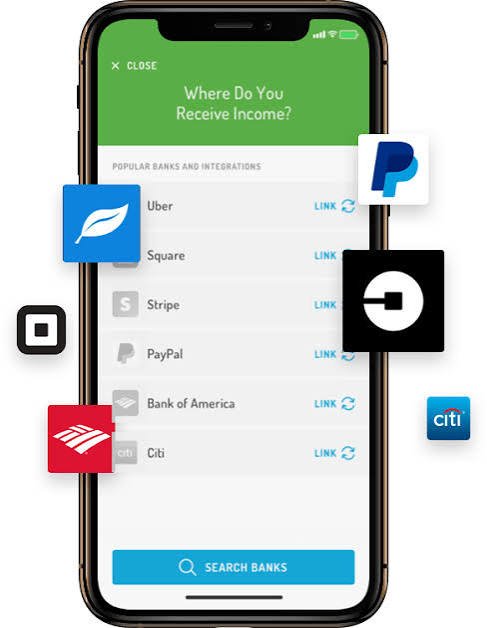
– Tracks income from multiple sources (freelance platforms, direct clients, gig apps)
– Affordably priced at $7.99/month
**The honest downside:** Hurdlr tracks and estimates, but it’s not a bank — it won’t hold your tax money in a separate bucket. You’ll need to pair it with Found or Lili (or a separate savings account) for actual tax savings. The interface is functional but not beautiful.
**Best for:** Freelancers who drive for work, use gig platforms like Uber or DoorDash, or want a live tax estimate at all times.
8. Keeper — Best for AI-Powered Tax Deductions
**Price:** $199/year (includes AI deduction scanning + human tax support)
Keeper takes a different approach. It’s not really a budgeting app — it’s a **tax-deduction finder** that happens to handle budgeting-like functions. The AI scans your linked bank accounts, credit cards, and even your email and calendar to flag potential tax-deductible expenses that you might have missed.
For freelancers, this is genuinely valuable. The average self-employed person misses thousands of dollars in deductions every year because they simply forget or don’t know what’s deductible. Keeper’s AI finds those. Did you buy a new monitor for your home office? A software subscription? Drive to a client meeting? Keeper catches it and categorizes it.
**What freelancers love about it:**
– AI scans accounts for deductions you’d miss on your own
– Human tax support for complex questions
– Generates tax-ready reports
– Integrates with banks, credit cards, and payment platforms
**The honest downside:** At $199/year, it’s expensive compared to other options. It’s not a full budgeting app — you won’t get cash-flow forecasting or detailed spending analysis. And the AI is good but not perfect — you still need to review its suggestions.
**Best for:** Freelancers who want to maximize their tax deductions and are willing to pay for AI-powered help.
9. Wave — Best Free Accounting for Budget-Conscious Freelancers
**Price:** Free (Wave Pro at $19/month for additional features)
Wave is the best free accounting software for freelancers who are just starting out or don’t want to spend money on financial tools. The Starter plan is genuinely free — unlimited invoicing, unlimited expense tracking, and receipt scanning. There are no tiered features holding back basic functionality.
Where Wave makes its money is payment processing (about 2.9% + $0.60 per transaction when clients pay invoices through the platform) and payroll services. If you invoice through Wave, factor in those processing fees. But if you just use it for expense tracking and bookkeeping, the cost is literally zero.
**What freelancers love about it:**
– Free unlimited invoicing and expense tracking
– Receipt scanning with automatic data extraction
– Connects to your bank accounts for automatic transaction import
– Generates basic financial reports (P&L, sales tax)
**The honest downside:** The free plan doesn’t include automatic bank import (that’s a Wave Pro feature at $19/month). The app can be slow at times. And it’s accounting software, not a budgeting app — you won’t get the behavioral nudges or cash-flow forecasting that YNAB or PocketSmith provide.
**Best for:** New freelancers on a tight budget who need free invoicing and basic bookkeeping.
—
## 10. Copilot — Best for iOS Users Who Love Beautiful Design
**Price:** $94.99/year or $7.99/month (30-day free trial)
Copilot is the best-designed budgeting app on the market, bar none. Every screen, every animation, every chart feels like it was crafted by someone who genuinely cares about user experience. For freelancers who interact with their finances daily, this matters more than you’d think — a beautiful app is one you’ll actually use.
Copilot uses AI to automatically categorize your transactions and set up reasonable budget targets. The “Review” tab presents transactions in a Tinder-like swipe interface — confirm left, recategorize right — which makes catching up on your finances feel almost addictive rather than like a chore.
**What freelancers love about it:**
– Stunning design that makes budgeting feel enjoyable
– AI-powered auto-categorization learns your patterns
– Excellent cash-flow view showing income vs. expenses
– Strong investment tracking alongside budgeting
**The honest downside:** The AI can be too optimistic — it tends to increase your dining and entertainment budgets in high-income months, exactly when you should be saving more. You’ll need to manually lock category amounts to override it. It’s also iOS-only (no Android app), and it doesn’t handle business-specific features like tax estimates or Schedule C.
**Best for:** Freelancers who use iPhone, value design quality, and want a hands-off budgeting experience with occasional check-ins.

How to Choose (and Combine) These Apps
Here’s the truth that most guides won’t tell you: **most successful freelancers use two tools, not one.** You need something for day-to-day cash flow and something for tax/business tracking. Here’s a simple framework:
**If you earn under $40,000/year:**
– Use Found (free) for banking + tax set-aside
– Use Wave (free) for invoicing and expense tracking
– Total cost: $0
**If you earn $40,000–$100,000/year:**
– Use YNAB ($109/year) for budgeting and spending discipline
– Use QuickBooks Solopreneur ($20/month) for tax-ready bookkeeping
– Or: Use PocketSmith ($9.99/month) for forecasting + Found (free) for tax set-aside
– Total cost: ~$10–$30/month
**If you earn $100,000+/year or have complex taxes:**
– Use Monarch Money ($99.99/year) for the full financial picture
– Use Keeper ($199/year) for AI-powered deduction hunting
– Pair with a CPA for quarterly tax planning
– Total cost: ~$25/month + CPA fees
**If you drive for work (delivery, rideshare, real estate, field services):**
– Use Hurdlr ($7.99/month) as your primary tool
– The mileage tracking alone will save you more than the subscription costs
– Pair with Found (free) for automatic tax set-aside
The Bottom Line
The best budgeting app for freelancers in the US ultimately depends on your specific needs:
– **For spending discipline and irregular income:** YNAB is unmatched
– **For tax-ready bookkeeping:** QuickBooks Solopreneur gets the job done
– **For cash-flow forecasting:** PocketSmith is the hidden gem you didn’t know you needed
– **For free banking + tax set-aside:** Found is hard to beat at $0
– **For mileage tracking:** Hurdlr pays for itself
– **For maximum deductions:** Keeper’s AI finds money you’re leaving on the table
– **For iOS users who want beauty:** Copilot is a joy to use
Whichever app you choose, the key is consistency. The best budgeting app in the world won’t help if you don’t check it regularly. Set aside 10 minutes every week — Sunday evening works well — to review your transactions, check your tax set-aside, and look ahead at upcoming bills. Do that, and you’ll never be caught off guard by a slow month or a tax bill again.
Because at the end of the day, freelancing isn’t just about doing great work. It’s about building a sustainable business that can weather the ups and downs. And that starts with knowing exactly where your money stands — every single day.
—
*Note: Pricing and features mentioned in this guide are accurate as of mid-2026. Financial app pricing changes frequently, so confirm current details with each provider before signing up. This is not financial advice — when in doubt, consult a CPA or certified financial planner who understands freelance finances.*